In just the first quarter alone, 2025 saw an 11% year-over-year jump in total spending on apps (for both iOS and Android users). This shows how strong the industry remains and underscores the importance of getting the mobile-app development process right.
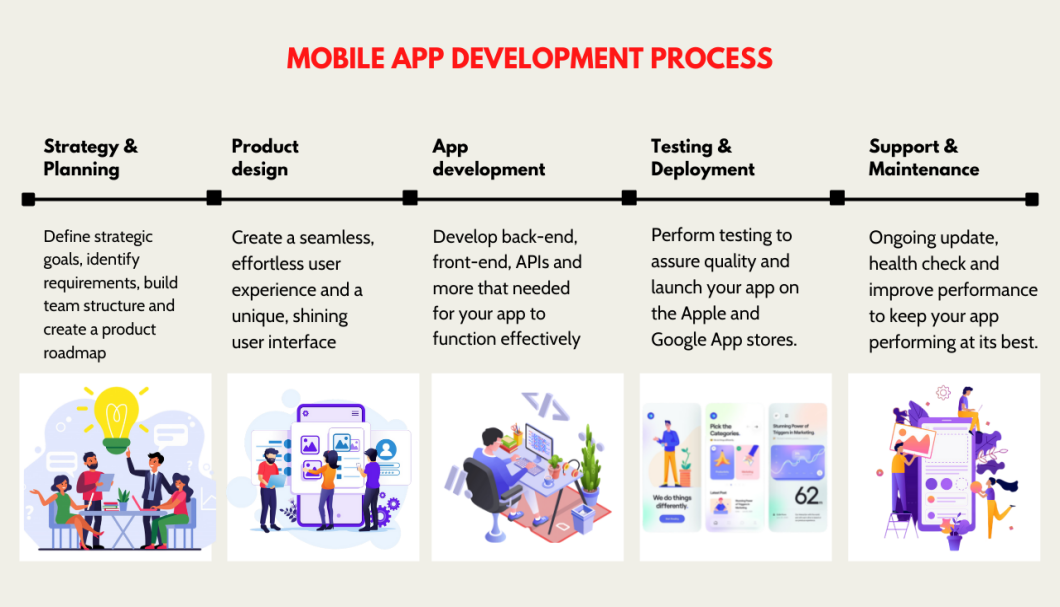
Mobile app development moves your app from early idea to live product through seven stages: strategy and research, planning and analysis, UX/UI design, development, testing, deployment and launch, and post-launch maintenance. Each stage builds on the last. Getting them right helps you reduce risk, control scope, and build an app that performs well, scales smoothly, and stays worth maintaining over time.
Table of Contents
Key Takeaways in the Mobile App Development Process
Mobile app development spans seven stages. Strategy, planning, design, development, testing, launch, and post-launch maintenance all shape the final product.
A focused MVP reduces risk. Prioritizing core features early controls scope, budget, and time-to-market.
Native and cross-platform serve different goals. Native suits performance-heavy or device-specific apps. Cross-platform suits faster, more budget-efficient launches.
Launch starts a new phase. Analytics, crash monitoring, bug fixes, security updates, and feature iteration all continue after release.
The strongest apps improve over time. Post-launch feedback and usage data shape the next round of updates and product decisions.
1. The First Step in Mobile App Development: Strategy and Research
Strategy and research define what the app should do, who it is for, and whether the idea is worth building before time and budget are committed.
Start by identifying the target users, the problem the app solves, and the gaps existing products do not address well. This stage should also validate whether the idea has enough user and business value to justify development.
Early validation matters. A simple prototype can help test assumptions, gather feedback, and refine the concept before the team commits to full design and development.
Once the idea is validated, the next step is to outline the product goals, success criteria, and a rough delivery plan. That gives the rest of the project a clearer direction and reduces the risk of wasted time or scope drift.
A proper plan keeps you from getting sidetracked and overspending your budget on miscellaneous things (and be sure to check out our guide to the best software development methodologies with insights into the agile methodology and more).
2. Planning and Analysis
Planning and analysis turn the app idea into a realistic delivery plan by defining the MVP, prioritizing features, and identifying the technical and business requirements that affect cost and timeline.
Start by separating must-have features from lower-priority ideas. A focused MVP solves one clear problem for one clear audience. It avoids feature bloat and speeds up your launch timeline.
Map the core user stories the app needs to support: sign-up, booking, payment, notifications. These flows shape the product structure and reduce confusion during development.
Technical planning carries equal weight. Decide which platforms to support. Determine whether the app needs a backend. Identify required integrations. Flag security, compliance, or accessibility requirements early.
Done right, this stage reduces timeline risks, prevents scope creep, and surfaces the main budget drivers: feature complexity, platform choice, integrations, and post-launch support.
3. Mobile App Design Process: UX/UI Product Design and Mockups
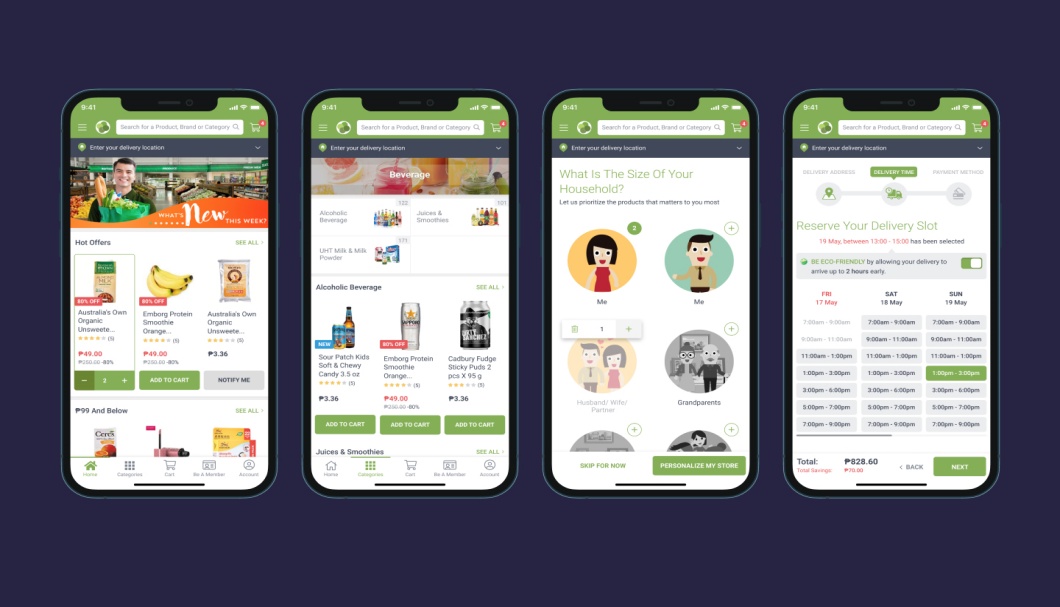
UX/UI design turns product requirements into clear user flows, wireframes, and visual interfaces so the app is easy to use before development starts.
The wireframes lay out the overall structure and connections between different components of an application in the simplest form, without any intricate visual design involved.
Still, the wireframe gives us a generic idea of the placement of visual elements and the user’s action flow on the app. With the wireframes in place, the project teams of designers can proceed with their work.
A mobile application’s design team focuses on user interface (UI) and user experience (UX).
The UI is the application’s visual presentation layer. The front face attracts users’ attention and helps them stay attentive. Thus, creating an appealing UI should be one of your priorities.
On the other hand, UX encompasses the flow of navigation through the app. A good UX design streamlines a user’s navigation process, enhances the application’s comfort, and adheres to important web accessibility standards.
Note that the design phase should involve both the designers and the developers. A software application development team’s assistance can give designers more insights into user expectations, producing a coding-feasible design and allowing for a smooth transition from design to development.
4. Mobile App Development
Development turns approved designs and requirements into a working app by building the frontend, backend, and supporting systems needed for the product to function reliably.
Frontend developers build the screens, navigation, and interactions users see on iOS, Android, or both. Backend developers handle the logic behind the app, including user accounts, permissions, data processing, and admin controls. APIs connect the app to backend services and any external tools it depends on.
This stage also covers authentication, data storage, push notifications, analytics, and reporting so the app can support real users, real data, and ongoing product decisions. If the app relies on payments, maps, booking systems, or CRM platforms, those integrations are usually handled here as well.
Strong development work includes stable architecture, secure authentication, reliable API connections, and clean handoff into testing. It builds a stable foundation for performance, security, and future updates. The better this stage is planned, the easier it is to move into testing without major rework.
Native vs Cross-Platform: What’s the Better Fit?
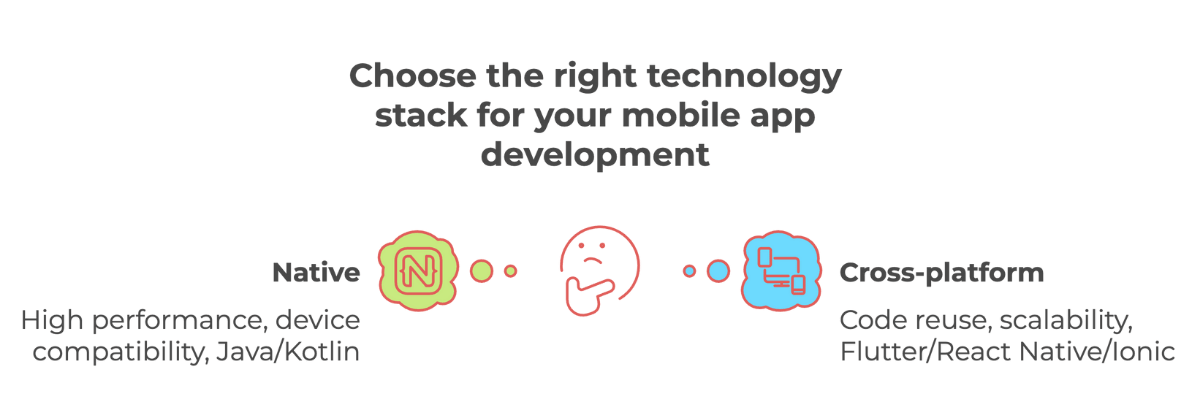
Choosing between native and cross-platform development matters because it affects performance, cost, timeline, maintenance, and how well the app supports device-specific features.
Native apps are built specifically for iOS or Android. They are often the best choice when performance, device-level access, or platform-specific user experience matters most. Native iOS apps are typically built with Swift, while native Android apps are commonly built with Kotlin or Java.
Cross-platform apps use one shared codebase across multiple platforms. They can reduce development time, simplify maintenance, and improve budget efficiency.
Choose native when performance, hardware integration, or OS-specific design matters most.
Choose cross-platform when speed-to-market and cost control take priority over raw performance.
You may also be interested in checking out our mobile app development trends guide for a broader look at how tools, frameworks, and user expectations are evolving!
Criteria
Native (Choose this if …)
Cross-Platform (Choose this if …)
Performance & Device Access
You need maximum performance, deep OS integration, or hardware-level features (e.g., camera, GPS, sensors). Native apps use Swift / Objective-C for iOS and Kotlin / Java for Android, giving full API access and smoother animations.
Your app runs mostly on shared logic with minimal hardware dependency. Frameworks like Flutter, React Native, or Ionic deliver solid speed for typical business or lifestyle apps.
Speed-to-Market
You’re planning staged launches and can handle longer timelines (6-12 months typically).
You need to launch within 4-8 months and value rapid prototyping across iOS and Android simultaneously.
Budget & Resources
You have the budget and resources to support separate platform development.
You want to reduce costs and manage both platforms with one team.
User Experience & Design
You aim for pixel-perfect, OS-specific experiences with custom UI elements.
You’re satisfied with 90-95 % native UX quality using unified design systems like Material UI or Cupertino widgets.
Maintenance & Updates
You have in-house teams to handle separate OS releases and version updates.
You prefer a single update cycle – one codebase covers both platforms, cutting maintenance time by 20-30 %.
Scalability & Future Plans
You’re building a long-term product or enterprise-grade app that will keep evolving with OS updates.
You’re testing a new idea (MVP) or scaling early-stage growth before possibly moving to native later.
Hopefully, this will help direct your planning. From here, you can pick out experienced developers well-versed in relevant technologies.
As a general rule, cross-platform is often the better fit for MVPs, budget-conscious builds, and teams that need to reach both iOS and Android users quickly. Native is often the better option for enterprise-grade products, performance-heavy apps, and experiences where deep device integration or platform-specific UX matters most.
5. Testing and Quality Assurance
Testing and quality assurance checks that the app works as expected across devices, user scenarios, and edge cases before release.
Moreover, testing ensures that your app performs the same way across different devices. Given the wide variety of devices, this is extremely important for a mobile app.
A common misconception is that the testing phase is the final step of mobile app development. However, for testing to benefit the application’s final operations to create a truly high-quality app, it should have continuous integration with the development cycle as soon as possible. Successful application development is an iterative approach, and you should also note that testing must cover many levels:
Unit testing
System testing
Functional testing
Integration testing
User acceptance tests (UAT)
Security testing
Mobile app testing process
Because, after all, it’s far from ideal to discover any bug, detrimental malfunction, or potential risks, just a few days before the official launch.
Case in point: Membrain
Fram^ designed and built a responsive web application on .NET with Vanilla JS, and delivered native mobile apps using Java for Android and Swift for iOS. The team integrated APIs and completed functional, performance, and security testing to ship a stable, scalable platform.
Deployment and launch prepare the app for release by handling final beta checks, store submission, analytics setup, crash reporting, and rollout planning.
Before release, teams run a beta version to catch issues in real-world conditions and collect final feedback. Once stable, they prepare store assets: descriptions, screenshots, permissions details, and submission requirements for the Apple App Store and Google Play. Store approval processes can affect launch timing, so build in buffer time.
Analytics and crash reporting should be configured before go-live. This lets you track adoption, spot technical issues quickly, and measure actual usage from day one.
A rollout plan defines how the release happens. Some apps launch to all users at once. Others use a phased rollout to reduce risk and catch problems early. A smooth launch requires more than store approval. It requires the monitoring, data, and support needed to respond quickly after go-live.
7. Post-Launch Maintenance and Iteration
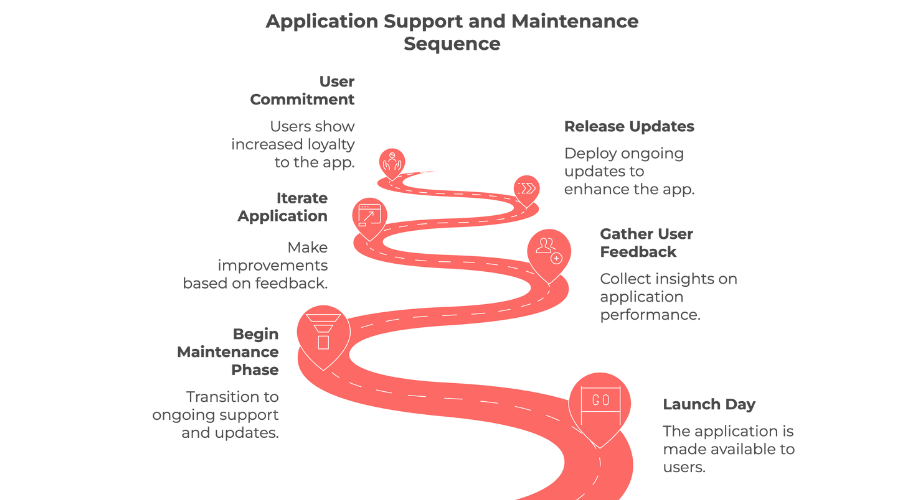
Post-launch maintenance keeps the app stable, secure, and useful after release by monitoring performance, fixing issues, and improving the product over time.
Once the app goes live, the focus shifts to monitoring performance, fixing bugs, reviewing user feedback, and keeping the app secure, stable, and compatible with OS updates (after all, an app is never launched in a perfect state). .
This stage includes tracking crashes and usage data, resolving user-reported issues, and releasing updates to improve reliability and usability. Teams also need to stay current on security patches, device changes, and iOS or Android updates that affect app performance.
User feedback becomes especially valuable after launch. And frequent and effective updates show that you care about the users and, in turn, increase their commitment to your apps. Because that insight shapes future improvements: refining features, simplifying workflows, or adding the next priorities from the roadmap.
And a strong post-launch support keeps the app useful over time. It also gives the team a clear path for iteration, rather than treating launch as a finish line.
Just beware of releasing too many unnecessary updates within a short period of time, however. This can burden your app’s performance heavily, and people most likely don’t want large applications taking up space on their limited memory cards.
Are You Ready to Build Your App?
Before development starts, it helps to confirm that the audience, scope, budget, platform choice, and post-launch ownership are clear.
Use this quick checklist before starting your project:
Do you know who the app is for and what problem it solves?
Have you defined the main business goal for the first release?
Have you identified the core features needed for the MVP?
Have you decided whether to launch on iOS, Android, or both?
Do you have a realistic budget range for design, development, testing, and launch?
Do you have a realistic timeline expectation based on the app’s complexity?
Do you know who will own updates, support, and iteration after launch?
If the answer to most of these is yes, you are in a much stronger position to move into design and development with confidence.
Frequently Asked Questions About Mobile App Development
How long does mobile app development take?
Most apps take three to nine months from kickoff to launch. The exact timeline depends on scope, complexity, platform requirements, and integration needs. A focused MVP ships faster than a feature-rich product with custom backend systems, advanced security, or support for both iOS and Android. Define the MVP early, limit the first release to core features, and identify technical dependencies before development starts. That keeps timelines under control.
How much does mobile app development cost?
Costs range from $50,000 for a simple single-platform MVP to $300,000+ for a multi-platform product with custom APIs, user roles, real-time data, and ongoing maintenance. The budget depends on feature set, platform choice, backend complexity, integrations, design requirements, testing scope, and post-launch support. Scope the MVP carefully and prioritize features that support the app’s main goal. That controls cost better than anything else.
Should I build native or cross-platform?
It depends on your product goals, budget, timeline, and technical requirements. Native development suits apps where performance, hardware-level access, or platform-specific UX matters most. Cross-platform development suits apps where speed-to-market, shared code, and budget efficiency take priority. If you’re launching an MVP or testing demand across iOS and Android, cross-platform often makes more sense. If you’re building a performance-heavy or deeply integrated product, native is worth the extra investment.
What team do I need to build a mobile app?
Most projects need product, design, development, and QA support. A typical team includes a product manager or strategist, a UX/UI designer, frontend and backend developers, a QA engineer, and sometimes DevOps or project management support. Smaller MVPs run leaner. Larger products often need specialized roles for architecture, security, integrations, or compliance.
What happens after launch?
Launch starts the next stage. After release, the team monitors performance, reviews analytics, fixes bugs, responds to user feedback, applies security updates, and keeps the app compatible with iOS and Android updates. This post-launch phase also shapes the roadmap for future improvements: refining features, improving usability, or adding the next priorities based on real usage data.
The Mobile Application Development Process in Conclusion
In short, it generally takes months to years for a mobile app to go through all these development phases to reach and survive on the market.
If you are looking for the right tech partner to join in the journey of creating a successful and viral application, get in touch with Fram^ today!
Since 2013, we’ve been building high-quality software for partners, solely focused on customer satisfaction the entire time. And we’ll happily help you successfully turn your ideas into reality with our mobile app development services!
And if you’re planning to scale your mobile product and are curious how intelligent automation can shorten time-to-market, you may be interested in our AI Implementation Services or checking out our extensive AI Whitepaper.
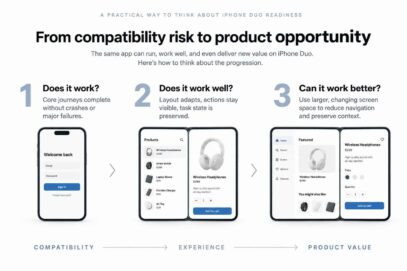
A business and product guide to what actually needs to change The question isn’t whether your app supports one new device. It’s whether your product is ready to adapt when the context changes. Assessing iPhone Duo app readiness starts with a simple question: can your existing product adapt when the context changes? Apple’s iPhone Duo […]
Progressive Web Apps (PWAs) and native mobile applications represent two distinct approaches to delivering mobile experiences. Both aim to provide engaging, functional apps, but they differ in development, capabilities, and user experience. Choosing between them is an important decision for any business looking to launch or upgrade a mobile solution in 2025. PWAs deliver fast, […]
In the app development world, there’s this ongoing debate—should you go all out for the perfect app or race to launch it quickly? It’s a tough call, and developers often find themselves caught between the two. In this blog, let’s unpack the pros and cons of each approach to help developers navigate this tricky decision. […]